How to Create a Professional Stage Plot (Without the Design Headache)


Save the Sound Engineer, Save the Show
A messy stage plot — or worse, showing up without one at all — is the fastest way to guarantee a bad-sounding set. When the sound tech is forced to guess where the vocal mics go or scramble to find extra power for your bassist's massive pedalboard, soundcheck gets rushed. Feedback happens. Vocals get buried.
But when you hand over a clean, professional stage plot, you instantly become the sound engineer's favorite band of the night. You look like a pro, and more importantly, you sound like a pro.
What is a Stage Plot?
A stage plot is simply a map of your band on stage, showing the venue staff exactly what you need and where you need it. To make sure your sound is dialed in, your stage plot must clearly communicate:
- Input List: Where do the vocal mics go? Does the acoustic guitar need a DI box? Make sure every single instrument that needs to go through the PA is accounted for.
- Monitor Placements: Where do you need floor wedges to hear yourself? Who needs a dedicated monitor mix?
- Power Drops: Where does the synth player plug in? Does the guitarist need power downstage left for their pedalboard?
- The "Key": Use simple, recognizable icons to show exactly where the drum kit, guitar amps, and vocalists will be standing.
Keep it clean, keep it accurate, and leave out the clutter. The tech just needs the facts.
Wait... Put Down Photoshop
At this point, you might be thinking, "Great, now I have to spend three hours in Canva or MS Paint trying to draw tiny pictures of a drum kit."
Stop right there.
You’re a musician, not a graphic designer. You should be spending your time rehearsing your setlist, writing new material, or booking your next tour—not frustratingly dragging digital boxes around a screen trying to make a rectangle look like a bass amp. Hand-drawn scribbles on a napkin won't cut it, and complex design software is overkill.
The Solution: The About My Sound Stage Plot Generator
That’s exactly why we built the About My Sound Stage Plot Generator. We wanted to take the headache out of advancing your shows.
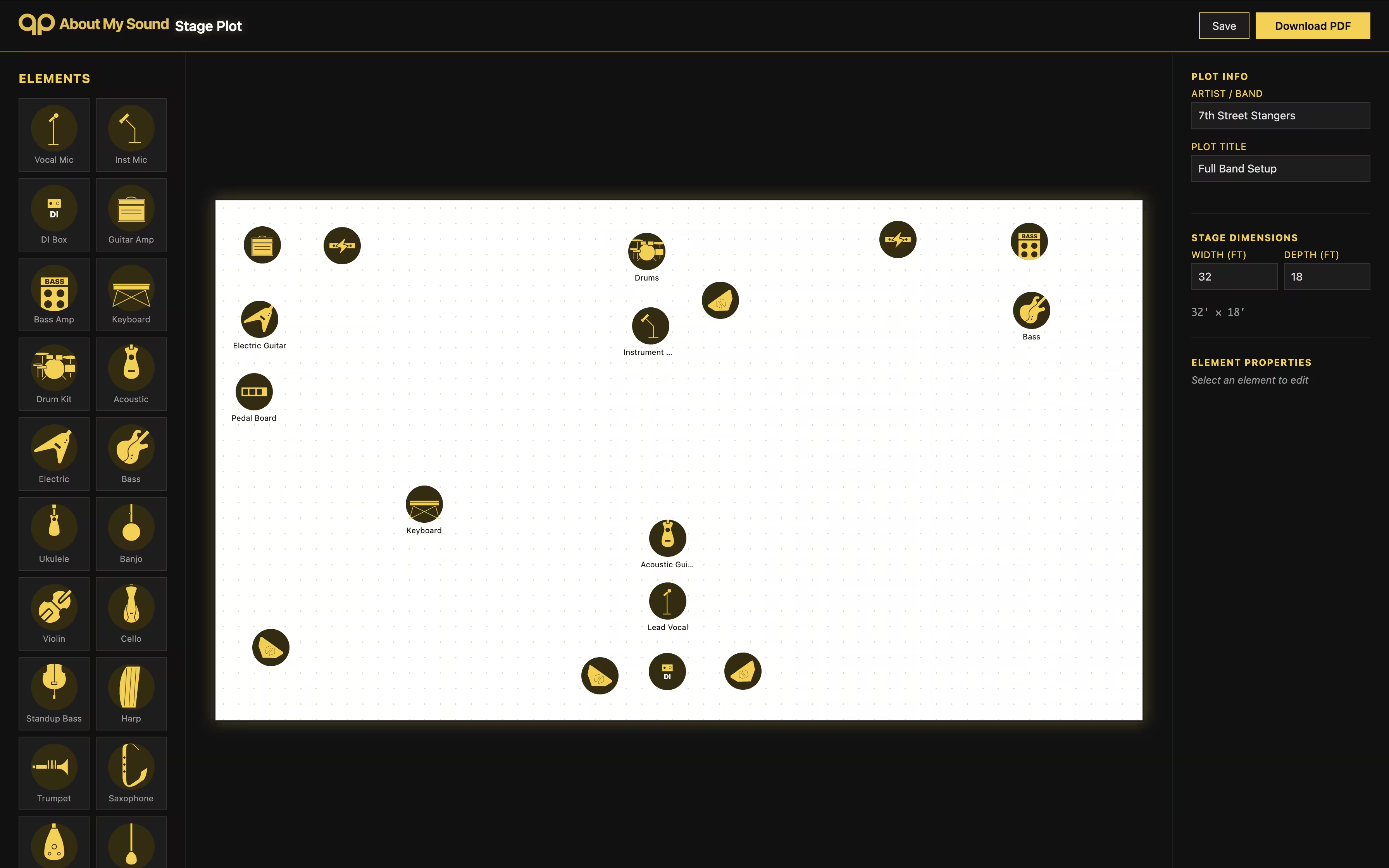
Our tool is designed specifically for musicians who want to get things done right and get back to the music.
- It's Fast: You can drag and drop your entire band setup in under 2 minutes.
- It's Professional: Output your plot in the standard industry format that booking agents, venues, and sound engineers actually expect to see.
- It's Completely Free: No paywalls, no hidden fees. Just build it, download it, and send it to the venue.
Ready for Better Soundchecks?
Stop guessing, stop frustrating the sound guy, and start sounding better from the very first note.